Spring Boot Versions Explorer

If you've ever been the person responsible for keeping a Spring Boot application up to date, not just clicking "bump version" in the pom.xml, but actually understanding what changed, what broke, and what needs attention before pushing to production, you know the drill.
You open the Spring blog. Then the GitHub release page. Then the migration guide. Then the auto-configuration changelog. Then you Ctrl+F your way through walls of text hoping you don't miss the one property rename that will silently break something in prod at 2am.
I've been there more times than I'd like to admit.
The Real Cost of a Spring Boot Upgrade
As a team lead, driving Spring Boot upgrades was a recurring responsibility.
Every time there is a CVE that appears and you get the alert somebody will come soon asking you when the CVE will be fixed.
If you don't want to take risks to break the production you have to verify almost single change in the release notes and expect some signature changes in the code.
Before signing off on a version bump, I needed to answer questions like:
- Which auto-configurations were added or removed?
- Did any configuration properties get renamed or deprecated?
- Are there new starters we should adopt, or old ones we should drop?
- What does the release note actually say about the things we use?
- Which methods changed or disappeared?
- What will be deprecated?
Finding answers meant jumping between multiple sources, cross-referencing docs, and building a mental model of the diff in my head. For a jump between patch versions that's manageable. For a minor version bump across multiple releases — say, 3.2 to 3.4 — it becomes a real time sink.
javaalmanac.io is a great help
I stumbled across javaalmanac.io, a fantastic that lets you compare Java versions. API additions, removals, changes in a clean, structured way.
I used this tool to analyze the Java migrations.
Java Almanac is the inspiration for SpringDiff.
Meet SpringDiff
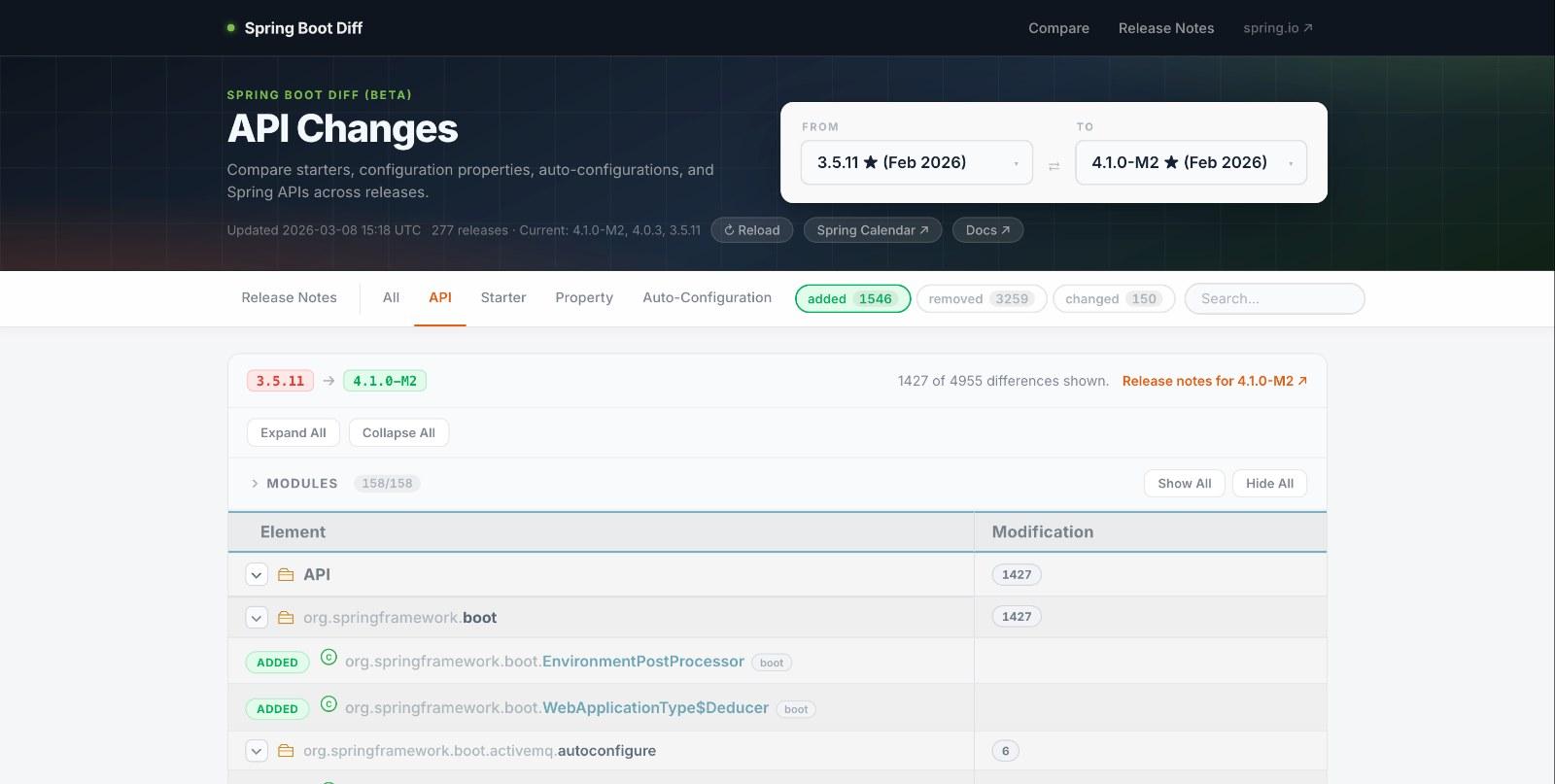
SpringDiff is a Spring Boot version diff explorer. You pick two versions, and it shows you exactly what changed across three dimensions:
Starters — which spring-boot-starter-* dependencies were added or removed between releases.
Configuration Properties — which application.properties / application.yml keys appeared, disappeared, or changed their default values. This one alone has saved me hours. A renamed property with a changed default is exactly the kind of thing that fails silently.
Auto-Configurations — which @AutoConfiguration classes were added or removed. Useful when a feature you relied on suddenly stops wiring itself up, or when you want to understand what new capabilities are available out of the box.
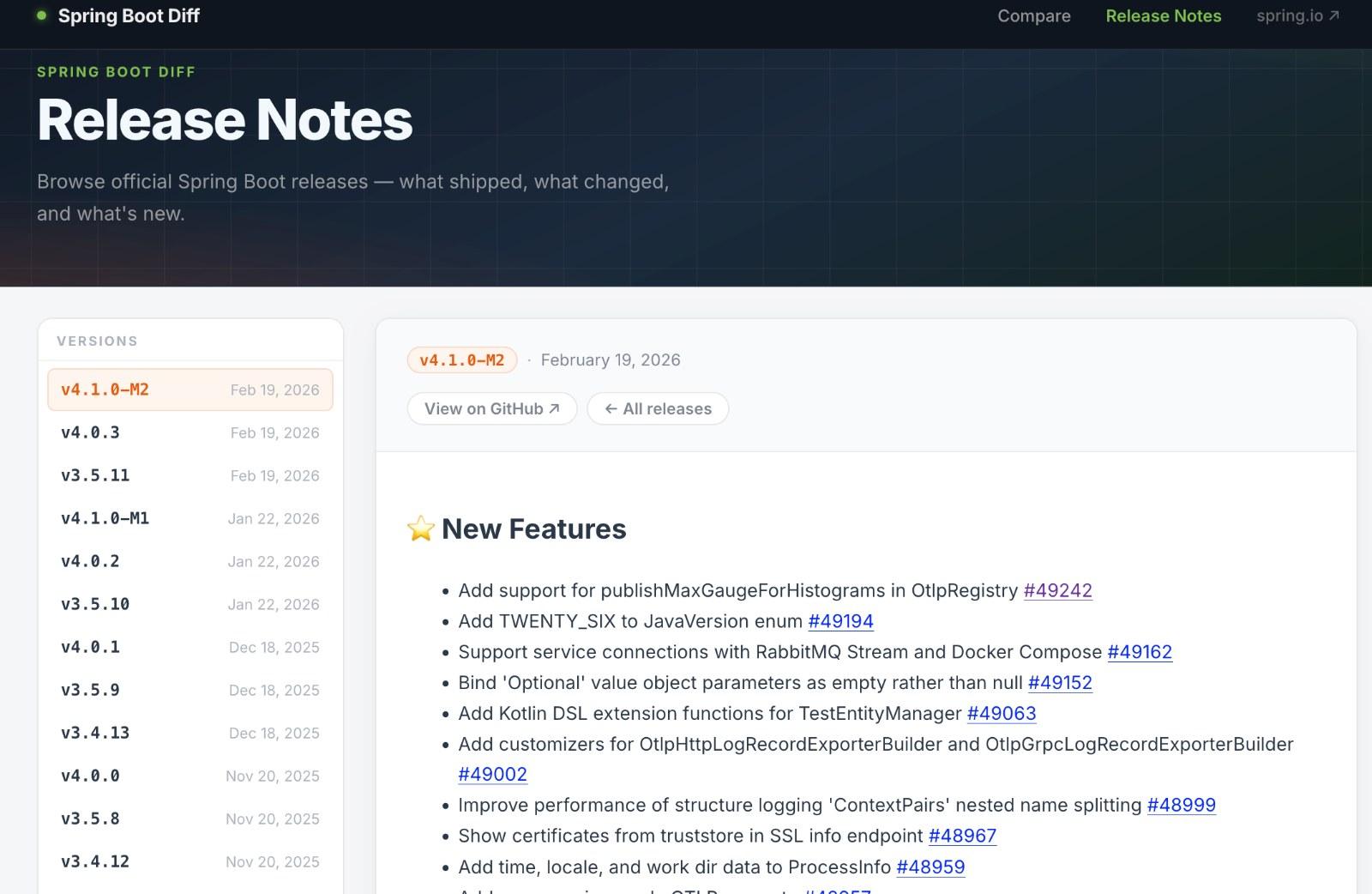
Beyond the diff, there's also a Release Notes section — all Spring Boot releases in one sidebar, no searching required. Click a version, read what shipped.
The data comes straight from Maven Central and the official GitHub releases, so it's always up to date as new versions are published.
How It Works Under the Hood
If you're curious: the backend is a Spring Boot 4 service (yes, built with Spring Boot itself) that fetches POM files and inspects JAR entries from Maven Central. It parses spring.factories for older releases and AutoConfiguration.imports for anything Boot 2.7 and above. Snapshots are cached in memory so repeat queries are instant.
The frontend is an Angular 21 app served as a single page. Nothing fancy, just a clean interface to explore the data.
Who Is This For?
If you regularly:
- Lead or contribute to Spring Boot version upgrades
- Want to understand what changed between two specific releases before
touching yourpom.xml - Need a quick sanity check before a production deployment
- Are evaluating whether to jump from 3.x to 4.x and want to see the
scope of changes
Then SpringDiff might save you a meaningful chunk of time.
It won't replace reading the official migration guide for major upgrades, please do read it. But it gives you a structured, searchable, filterable view of the changes that you can come back to whenever you need it.
Try It
Head over to springdiff.marmo.dev, pick a from-version and a to-version, and see what you get.
Just a useful tool for Spring developers doing real work.